Managing guest access for an Airbnb rental means juggling check-in times, lockbox codes, and the occasional 2 a.m. lockout call. Smart locks eliminate those headaches by letting hosts generate unique entry codes remotely, monitor door activity in real time, and never worry about re-keying after a guest leaves a spare under the mat. They’re not a luxury anymore, they’re standard equipment for hosts who want smoother turnovers and fewer emergencies. This guide covers why hosts are making the switch, what features matter most, the best models for rental properties, how to install one yourself, and how to manage guest codes without creating security gaps.
Table of Contents
ToggleKey Takeaways
- Airbnb smart locks eliminate traditional lockbox bottlenecks by enabling hosts to generate unique, time-limited access codes remotely and monitor door activity in real time, reducing emergency lockout calls and speeding up guest turnovers.
- Essential smart lock features for rental properties include battery backup with low-battery alerts, weatherproofing (IP54 or higher), auto-lock functionality, tamper detection, and multiple access methods like keypads, Bluetooth, and physical key overrides.
- Top-performing models like the Yale Assure Lock 2 ($220–$280), Schlage Encode Plus ($280–$320), and Kwikset Halo ($170–$200) offer direct integration with Airbnb and property management systems, automating code generation and reducing manual entry errors.
- Installation of an Airbnb smart lock typically takes 20–45 minutes with basic tools and doesn’t require door or frame modifications for standard Grade 1 or Grade 2 deadbolts; testing the lock manually before connecting to Wi-Fi prevents calibration issues.
- Security best practices for smart lock code management include using unique codes for every reservation, setting exact activation and expiration windows tied to check-in/checkout times, rotating vendor codes quarterly, and monitoring activity logs weekly for unusual patterns.
- Avoid monthly subscription fees for remote features, and choose locks with robust API support if managing multiple properties—direct integration with Airbnb or PMS platforms like Guesty saves hours per week compared to manual code generation.
Why Airbnb Hosts Are Switching to Smart Locks
Traditional lockboxes and physical key handoffs create bottlenecks. A guest arrives early, the cleaner’s still inside, and someone’s stuck waiting on the porch. Smart locks solve that by letting hosts set time-limited access codes that activate exactly when the reservation starts and expire at checkout.
No more physical key exchanges. Hosts can manage everything from their phone, whether they’re across town or across the country. That means no more meeting guests at odd hours or arranging key drop-offs with neighbors.
Automatic code rotation. Each guest gets a unique code that dies after checkout. No re-keying, no wondering if the last guest made a copy, no expired lockbox codes that get shared in online reviews.
Activity logs tell the story. Most smart locks timestamp every unlock. If something goes missing or a noise complaint comes in, hosts can verify exactly when the door opened and closed. That’s useful for resolving disputes and managing cleaning schedules.
Faster turnovers. Cleaners get their own permanent codes. The locksmith visit is gone, the hidden-key scramble is gone, and hosts can book back-to-back reservations without coordination headaches.
Costs vary, but mid-range smart locks run $150–$250, comparable to a few lockbox replacements or one emergency locksmith visit. The time savings alone typically justify the upfront expense within the first few months of use.
Essential Features to Look for in an Airbnb Smart Lock
Not all smart locks work well for rental properties. Hosts need features that handle high guest turnover, remote management, and reliable performance without constant troubleshooting.
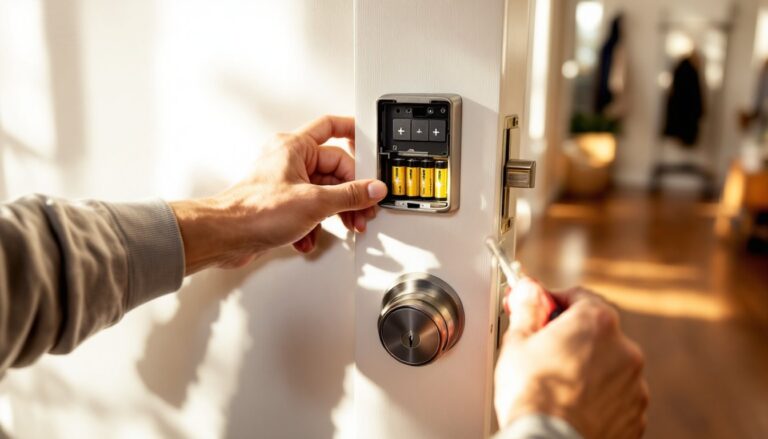
Battery backup and low-battery alerts. Most smart locks run on four AA batteries and last 6–12 months. Look for models that send push notifications when battery levels drop below 20%. Some include a backup 9V terminal on the exterior for emergency jump-starts if the batteries die mid-reservation.
Weatherproofing for exterior doors. If the lock mounts on an exterior door exposed to rain or snow, check the IP rating. IP54 or higher handles moisture and dust without premature failure. Cheaper models with no weather resistance corrode quickly in coastal or humid climates.
Auto-lock and tamper alerts. Auto-lock engages the deadbolt after 30 seconds, so guests can’t accidentally leave the door unlocked. Tamper alerts notify hosts if someone tries to force the lock or remove the cover.
Multiple access methods. Keypads are standard, but backup options matter. Bluetooth unlocking via a smartphone app works when guests forget their code. Physical key override is critical if the electronics fail or the Wi-Fi drops during a storm.
Many modern smart home devices integrate seamlessly with rental management systems, making smart home technology a practical choice for property owners.
Remote Access and Code Management
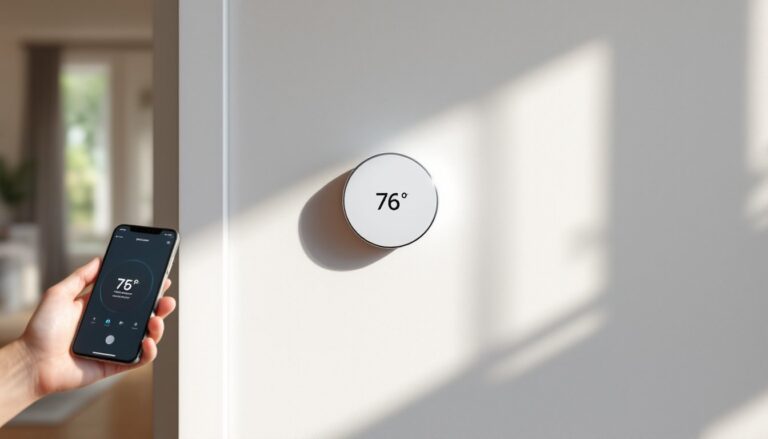
Remote access means hosts don’t need to be within Bluetooth range to manage the lock. Wi-Fi-enabled models or those with a separate bridge connect to the home network, letting hosts generate and delete codes from anywhere.
Scheduled codes activate and expire automatically based on reservation dates. Hosts create the code once in the app, set the date range, and the lock handles the rest. No manual disabling at checkout.
One-time codes work for maintenance visits or inspections. The code becomes invalid after a single use, so hosts don’t need to change it afterward.
Master codes for property managers or co-hosts never expire. These should be separate from guest codes and rotated quarterly for security.
Avoid locks that require a monthly subscription for remote features. Some brands charge $3–$10/month after the first year. For multi-property hosts, those fees add up fast.
Integration with Airbnb and Property Management Systems
Direct integration with Airbnb or property management software (PMS) like Guesty, Hospitable, or Lodgify automates code generation entirely. The system pulls reservation details, creates a unique code, and messages it to the guest before check-in.
API compatibility is the key. Popular locks like the Yale Assure Lock 2, Schlage Encode Plus, and Kwikset Halo support third-party integrations via Z-Wave, Zigbee, or Wi-Fi.
Airbnb’s native integration works with select models. Hosts link the lock in their Airbnb listing settings, and the platform handles code delivery through its messaging system. This cuts down on manual steps and reduces the chance of sending the wrong code.
Manual workarounds are still needed for locks without PMS integration. Hosts can use IFTTT (If This Then That) or Zapier to connect the lock to calendar apps, but that adds complexity and another subscription fee.
For multi-property portfolios, investing in locks with robust API support saves hours per week compared to manually generating codes for every reservation.
Top Smart Lock Options for Airbnb Properties
Three models consistently rank high for rental properties based on reliability, feature sets, and support for remote management.
Yale Assure Lock 2 is a workhorse. It’s fully keyless (no cylinder to pick), supports Wi-Fi or Z-Wave depending on the module, and integrates with Airbnb, Google Home, and Apple HomeKit. Battery life hits 12 months with typical use. The touchscreen is backlit for night arrivals. Price: around $220–$280 depending on the connectivity module.
Schlage Encode Plus includes built-in Wi-Fi, so there’s no separate bridge to buy. It works with Airbnb, Ring, and Key by Amazon. The lock also has a fingerprint-resistant touchscreen and a physical key override. Built-in alarm technology detects forced entry attempts. Price: $280–$320.
Kwikset Halo offers solid performance at a lower price point, typically $170–$200. It’s Wi-Fi-enabled, integrates with Airbnb and major smart home platforms, and uses SmartKey re-key technology if hosts ever need to add a physical key. The app is straightforward, and battery life averages 10 months.
For budget-conscious hosts with existing smart home ecosystems, the August Wi-Fi Smart Lock (4th gen) retrofits over the existing deadbolt without changing the exterior hardware. It’s the least obtrusive installation but requires the existing lock to be in good shape. Price: around $230.
Research from sources like CNET and independent testing platforms can help hosts compare battery life, connectivity reliability, and long-term durability before committing to a model.
How to Install a Smart Lock for Your Airbnb Rental
Most smart locks replace a standard Grade 1 or Grade 2 deadbolt without modifying the door or frame. Installation takes 20–45 minutes with basic tools.
Tools needed:
- Phillips-head screwdriver (most locks supply one)
- Tape measure
- Pencil
- Optional: drill with a 2-1/8″ hole saw (if installing fresh, not replacing)
Safety note: If the rental is occupied or listed, block the calendar during installation to avoid locking out a guest mid-stay.
Step-by-step installation:
-
Remove the old deadbolt. Unscrew the interior mounting screws and pull both halves of the lock free. Keep the strike plate (the metal piece on the door frame) unless it’s damaged.
-
Check the door prep. Standard doors have a 2-1/8″ cross-bore hole and a 1″ edge bore for the latch. Measure to confirm. If the holes don’t match the new lock’s specs, you’ll need to drill or file them to fit.
-
Install the new latch. Slide the latch mechanism into the edge bore. The latch bolt should face the strike plate, with the bevel facing the door frame (so it closes smoothly). Secure it with the provided screws.
-
Mount the exterior assembly. Thread the cable (if included) through the latch hole, then position the exterior keypad or touchscreen. Align it so it’s level, use a tape measure to check the distance from the top and bottom of the door. This is where the lock looks DIY if rushed.
-
Attach the interior assembly. Connect the cable to the interior unit, insert batteries, then align the mounting plate over the latch tailpiece. The tailpiece (the flat metal piece sticking out of the latch) must seat fully into the lock’s interior mechanism. Tighten the mounting screws evenly, overtightening one side first can cock the assembly and cause binding.
-
Test the lock manually before connecting it to Wi-Fi. Extend and retract the deadbolt several times. It should move smoothly without resistance. If it binds, loosen the screws slightly and re-align.
-
Connect to the app. Follow the manufacturer’s pairing instructions. Most use Bluetooth first, then add Wi-Fi credentials through the app. Create the master code and test remote lock/unlock.
Common installation issues:
- Deadbolt won’t extend fully: The strike plate hole might be misaligned. File the hole slightly or adjust the strike plate position.
- Lock won’t stay calibrated: The door or frame has shifted. Check that the door closes flush and doesn’t sag on the hinges.
- App won’t connect: Restart the router, confirm the lock is within Wi-Fi range (most need a strong signal), and check for firmware updates in the app.
If the door has a multi-point locking system (common in newer builds or Euro-style doors), smart lock compatibility is limited. Consult a locksmith before buying.
Best Practices for Managing Guest Access Codes
Sloppy code management creates security gaps and guest confusion. A few consistent habits prevent both.
Use unique codes for every reservation. Never recycle codes, even if turnover is tight. Auto-generated random codes (4–8 digits, depending on the lock) are harder to guess and leak-proof.
Set exact activation windows. Program codes to activate at check-in time (e.g., 3:00 p.m.) and expire at checkout (e.g., 11:00 a.m.). This prevents early arrivals from entering mid-cleaning and ensures guests can’t linger past checkout.
Send codes 24 hours before check-in. Include the code in the welcome message along with Wi-Fi details and house rules. Sending it earlier risks guests losing the message: sending it later causes panicked calls if they’re already en route.
Test codes before the guest arrives. Enter the code yourself or ask a co-host to verify it works. This catches sync errors between the PMS and the lock.
Rotate cleaning and maintenance codes quarterly. Permanent codes for vendors should change every 90 days. Track who has active codes in a spreadsheet or the lock’s app.
Monitor activity logs weekly. Check for unusual patterns, like the door unlocking at 3 a.m. or repeated failed code attempts. Most locks log 200+ events, enough to track a full month of reservations.
Disable codes immediately after checkout. If the lock doesn’t auto-expire codes, delete them manually within an hour of checkout. Former guests occasionally return to retrieve forgotten items without notifying the host.
Have a backup plan for lock failures. Keep a physical key in a secure location off-property (with a trusted neighbor or in a lockbox at a nearby business). If the lock dies mid-reservation, guests need an alternative entry method while the host arranges a fix.
Following these steps keeps the rental secure, reduces guest friction, and ensures hosts stay in control of access without micromanaging every check-in.