Smart locks have moved from novelty to necessity, and the Aqara U300 arrives in 2026 as one of the more compelling options for DIY installers who want modern security without rewiring their entire entryway. It’s a Matter-enabled deadbolt that plays nicely with Apple HomeKit, Google Home, and Amazon Alexa, while packing fingerprint recognition, keypad entry, and a physical key backup into a relatively sleek package. For homeowners ready to ditch fumbling with keys at the grocery bag juggle, the U300 offers a practical upgrade that doesn’t require calling a locksmith, assuming your door prep is standard. This review walks through what sets it apart, how it performs in real-world use, and whether it’s worth the investment for your home.
Table of Contents
ToggleKey Takeaways
- The Aqara U300 smart lock offers native Matter support, making it compatible with Apple HomeKit, Google Home, Amazon Alexa, and Samsung SmartThings without ecosystem lock-in.
- Six unlock methods—fingerprint recognition, numeric keypad, NFC card, smartphone app, voice command, and physical key—provide redundancy and convenience for households.
- DIY installation takes 15–20 minutes for standard door prep, saving $100–$150 in locksmith fees while maintaining compatibility with existing 2-1/8″ cross bore holes.
- Fast fingerprint recognition unlocks in under 0.5 seconds with 360° detection, paired with an 8-month battery life and emergency USB-C backup charging.
- At $189.99, the Aqara U300 smart lock delivers mid-range value with more unlock options and genuine smart home compatibility than budget competitors, though it requires an Aqara Hub for geofence automation.
What Makes the Aqara U300 Stand Out?
The smart lock market is crowded, but the U300 separates itself with native Matter support from day one. Matter is the unified smart home protocol backed by Apple, Google, Amazon, and Samsung, which means this lock doesn’t force you into a single ecosystem. If you switch from Alexa to Google Assistant next year, the U300 moves with you.
Another standout: 6-in-1 unlocking methods. You get fingerprint recognition (stores up to 50 prints), numeric keypad, NFC card, smartphone app, voice command through smart assistants, and a traditional physical key. That redundancy matters when batteries die or your phone’s in the other room. Most competitors offer three or four methods: Aqara gives you backup options for your backup options.
The lock also includes a built-in gyroscope that detects forced entry attempts. If someone tries to pry or hammer the lock, it triggers an alert to your phone. It’s not a full security system, but it adds a layer most retrofit deadbolts skip. The U300 fits standard door prep, 2-1/8″ cross bore and 1″ latch bore, so it drops into the same holes as a Kwikset or Schlage deadbolt without new drilling.
Key Features and Specifications
Here’s what you’re working with:
- Power: 4× AA batteries (included), rated for 8 months of typical use
- Connectivity: Matter over Thread, Bluetooth 5.0, Zigbee 3.0 (requires Aqara hub for full Zigbee features)
- Backset: 2-3/8″ or 2-3/4″ adjustable latch
- Door thickness compatibility: 1-3/8″ to 2″ (covers most residential doors)
- Fingerprint sensor: Capacitive, 360° recognition, unlocks in under 0.5 seconds
- Keypad: Illuminated, scramble PIN option to prevent smudge-pattern tracking
- Weather resistance: IP65 rated (handles rain and dust, not submersion)
- Auto-lock timer: Configurable from 0 to 99 seconds after unlocking
The lock ships with mounting plates for both right- and left-hand doors. Interior assembly is plastic with a rubberized grip wheel for manual locking, not premium, but functional. Exterior hardware is zinc alloy with a matte black or satin nickel finish. It’s not as hefty as a Schlage Encode, but it doesn’t feel flimsy either.
One limitation: the U300 is a deadbolt only. It doesn’t replace or integrate with your existing door handle. If you want a combo unit, you’ll need to look elsewhere or install this above your current handleset.
Installation and Setup Process
If you’ve ever swapped a deadbolt, you can install the U300. Aqara includes a paper template, but you’re working with existing holes, so measure twice: check your door’s backset (distance from door edge to center of the hole) and cross bore diameter. Most standard doors use 2-1/8″ cross bore: if yours is 1-1/2″, you’ll need an adapter plate or a different lock.
Tools you’ll need:
- Phillips screwdriver (included, but a ratcheting one speeds things up)
- Tape measure
- Pencil
- Optional: drill with 2-1/8″ hole saw if you’re starting from scratch (not typical for replacements)
Installation steps:
- Remove your old deadbolt by unscrewing the interior mounting screws and pulling both halves free.
- Check the latch, if it’s a standard 1″ bore, the Aqara latch drops right in. Adjust the latch backset tab to match your door (2-3/8″ or 2-3/4″).
- Feed the exterior cable through the latch hole and seat the outside assembly. The mounting plate should sit flush: if not, adjust the latch faceplate screws.
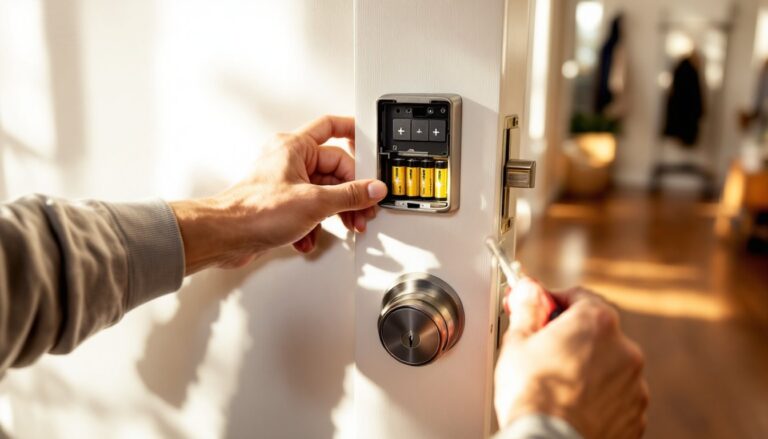
- Attach the interior assembly, threading the cable connector into the marked port. Snap the battery tray in place (batteries included) and tighten the two mounting screws.
- Test manual lock/unlock with the thumb turn before finalizing.
Setup takes 15–20 minutes for a straightforward swap. If your door isn’t prepped or you’re dealing with odd thickness or non-standard bore, add time or call a locksmith. This is not structural work and doesn’t require a permit, but if you’re replacing a mortise lock or need to drill new holes, that’s a different project.
Pairing the lock happens through the Aqara Home app (iOS/Android). Scan the QR code on the lock, connect via Bluetooth, then add it to your Matter network. If you’re using HomeKit, Google, or Alexa, the lock appears automatically once Matter pairing completes. Fingerprint and PIN enrollment happen in-app, budget 5 minutes to scan prints for the family.
Smart Home Integration and Compatibility
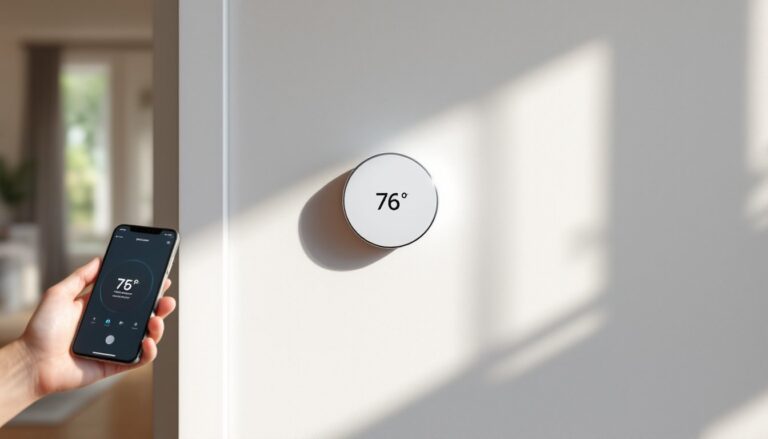
Matter support is the headline here. The U300 connects directly to Apple Home, Google Home, Amazon Alexa, and Samsung SmartThings without needing brand-specific hubs. You can unlock the door with Siri, set routines in Google Home (“Goodnight” locks all doors and turns off lights), or trigger Alexa announcements when someone enters.
For Zigbee features, like deeper automation or integration with other Aqara sensors, you’ll need an Aqara Hub M2 or M3. The hub isn’t required for basic lock/unlock, but it enables things like automatic unlocking when your Aqara motion sensor detects you approaching, or locking the door if an Aqara window sensor is left open. If you’re already in the Aqara ecosystem, the hub is worth it. If not, Matter alone covers most use cases.
The lock also supports Apple Home Keys, so iPhone and Apple Watch users can tap their device to the NFC reader and unlock without opening an app. Android users get similar functionality through Google Wallet on compatible phones. This feature shines when your hands are full, tap and push.
One quirk: remote unlocking through Matter can have a 2–5 second delay depending on your home network and Thread border router quality. Local Bluetooth unlocking via the Aqara app is instant. If you’re standing at the door, use the app or fingerprint. If you’re letting someone in remotely, expect a brief lag. Independent reviews comparing Matter-enabled smart locks note this delay is common across brands, not unique to Aqara.
Real-World Performance and User Experience
After two months of daily use, the fingerprint sensor is the star. It reads prints in under half a second, works with damp fingers (post-run, post-dishes), and handles multiple angles without fuss. The 50-fingerprint limit is generous, enough for a family plus occasional guests or service providers. False rejections are rare: false acceptances haven’t happened.
The keypad is responsive and backlit, which matters at night. The scramble PIN feature randomizes the number layout each time, so an observer can’t memorize your tap pattern. It adds a second of setup per unlock, but it’s solid privacy if you’re in a high-traffic building.
Battery life tracks close to Aqara’s 8-month estimate. Four AAs power the lock, sensor, wireless radios, and keypad backlight. The app warns you at 20% remaining, and there’s a backup USB-C port on the exterior for emergency jump-starting if batteries die while you’re locked out. You’ll need a portable charger or phone cable, plug in, wait 30 seconds, and the lock powers up long enough to unlock and swap batteries.
Auto-lock timing is adjustable, but there’s no auto-unlock based on geofence without the Aqara Hub. If you want the door to unlock as you walk up (using your phone’s location), you’ll need the hub and the full Aqara app setup. Matter alone doesn’t support geofencing yet.
Build quality is good, not great. The exterior feels sturdy, but the interior thumb turn is plastic. After thousands of cycles, it’ll likely show wear before the sensor does. That said, testers at Tom’s Guide and Digital Trends praised its Matter compatibility and ease of use, with only minor gripes about app UI.
Safety note: Always wear safety glasses when drilling or modifying door hardware. Metal shavings and wood dust can cause eye injury.
Pricing and Value for Money
The Aqara U300 retails for $189.99 as of early 2026 (prices vary by region and retailer). That places it in the mid-range: cheaper than the August Wi-Fi Smart Lock ($249) and Yale Assure Lock 2 ($279), but pricier than basic Wyze or Ultralocker models around $100–$130.
You’re paying for Matter support, six unlock methods, and fingerprint recognition, features that budget locks skip. Compared to competitors at the same price, the U300 offers more unlock options and native smart home compatibility without requiring proprietary bridges.
If you already own an Aqara hub, value increases. If you’re starting fresh and only want Matter, it’s still competitive. The lock occasionally goes on sale for $160–$170 during shopping events, which pushes it into strong-buy territory.
Installation is DIY-friendly, so you save $100–$150 in locksmith fees (typical charge for smart lock install in most US markets as of 2026). That said, if your door needs new holes drilled or isn’t standard thickness, add $50–$100 for a pro visit.
No subscription is required for core features, fingerprint, keypad, app unlock, and Matter integration all work out of the box. Aqara offers optional cloud storage for activity logs beyond 30 days, but local logs cover most homeowner needs.
Conclusion
The Aqara U300 delivers where it counts: fast fingerprint unlock, genuine Matter compatibility, and straightforward DIY installation. It’s not the cheapest smart lock, nor the most rugged, but it strikes a practical balance for homeowners who want modern convenience without ecosystem lock-in. If your door uses standard boring and you’re comfortable swapping a deadbolt, this is a solid upgrade that’ll work with whatever smart assistant you’re using today, and the one you switch to tomorrow.