The Eufy Security Smart Lock C220 has quietly become one of the most talked-about keyless entry systems among DIYers and smart home enthusiasts. It offers fingerprint recognition, Wi-Fi connectivity, and a price point that doesn’t require a second mortgage. But does it hold up under real-world use, and is it something the average homeowner can install on a Saturday afternoon? This review digs into the C220’s features, installation process, smart home compatibility, and overall performance to help anyone decide if it’s the right fit for their front door, or if they should keep looking.
Table of Contents
ToggleKey Takeaways
- The Eufy Security Smart Lock C220 offers fingerprint recognition, Wi-Fi connectivity, and reversible lever design at an affordable price point of $150–$180, making it accessible for DIY installation.
- Installation is straightforward and can be completed in 45 minutes to an hour by most homeowners, requiring only basic tools and no separate hub—simplifying setup compared to Z-Wave or Zigbee alternatives.
- Built-in fingerprint storage for up to 50 users, 100 PIN codes, and a physical key backup ensure practical access for families and provide failsafe entry if batteries or Wi-Fi fail.
- The C220 integrates reliably with Amazon Alexa and Google Assistant for remote control and activity monitoring, though it lacks Apple HomeKit support and geofencing features found on higher-end competitors.
- Fingerprint recognition works fast and accurately under normal conditions with 8–10 months of battery life on 4×AA batteries, though the sensor may struggle in extreme cold or with wet fingers.
- A 100-decibel tamper alarm provides strong security deterrence by alerting occupants and sending notifications if someone attempts to force or remove the lock assembly.
What Makes the Eufy Security Smart Lock C220 Stand Out?
The C220 sits in a crowded market, but it distinguishes itself with a few specific features that appeal to the DIY crowd. First, it includes fingerprint recognition built directly into the exterior keypad, no need for separate readers or add-on modules. The sensor stores up to 50 fingerprints, making it practical for families, roommates, or rental properties.
Second, it’s a Wi-Fi-enabled lock that doesn’t require a separate hub. Many competitors rely on Z-Wave or Zigbee, which means buying additional hardware. The C220 connects to your home network out of the box, which simplifies setup and reduces points of failure.
Third, the lock includes a physical keyhole as a failsafe. Batteries die, Wi-Fi goes down, and fingerprint sensors can get finicky in freezing weather. Having a traditional key override is a practical feature that some fully digital locks skip.
Finally, the C220 uses a reversible lever handle that works on both left-hand and right-hand swing doors without buying separate versions. It’s a small detail, but it saves hassle during ordering and installation.
Key Features and Specifications
Here’s what the C220 brings to the table:
- Fingerprint capacity: Up to 50 fingerprints
- Access codes: Up to 100 unique PIN codes
- Connectivity: Wi-Fi (2.4 GHz only: does not support 5 GHz networks)
- Power: 4× AA batteries (Eufy claims 8-10 months of typical use)
- Auto-lock: Configurable auto-lock timer from 10 seconds to 3 minutes
- Material: Zinc alloy construction with a matte black or satin nickel finish
- Compatibility: Fits standard doors with 1-3/8″ to 1-3/4″ thickness and a 2-1/8″ bore hole (standard in most residential doors since the 1970s)
- App control: Eufy Security app (iOS and Android)
- Voice assistant support: Works with Amazon Alexa and Google Assistant
- Dimensions: Interior assembly is approximately 5.5″ tall, 2.8″ wide, and extends about 2.5″ from the door
One notable omission: the C220 doesn’t support Apple HomeKit, which may be a dealbreaker for users deep in the Apple ecosystem. But, many smart home enthusiasts find success integrating the lock through third-party platforms like Home Assistant or Homebridge if they’re comfortable with more advanced configurations.
The lock also includes a tamper alarm that triggers if someone tries to force the deadbolt or remove the exterior assembly. It’s loud, around 100 decibels, enough to make a would-be intruder reconsider.
Installation Process: DIY-Friendly Setup
Installing the C220 is within reach for most DIYers, especially if replacing an existing deadbolt. Eufy includes a detailed paper template and all necessary mounting hardware. Budget 45 minutes to an hour for a first-time install, less if swapping out an old smart lock.
Tools needed:
- Phillips screwdriver (a magnetic-tip version makes life easier)
- Tape measure
- Pencil
- Drill with 2-1/8″ hole saw and 1″ spade bit (only if installing on a door without an existing bore hole)
Step-by-step process:
- Remove the old lock. Unscrew the interior plate, pull out the existing deadbolt assembly, and extract the latch from the door edge.
- Check door thickness and backset. The C220 works with standard 2-3/8″ or 2-3/4″ backsets (the distance from the door edge to the center of the bore hole). Measure to confirm.
- Install the latch. The C220’s latch is spring-loaded and reversible. Slide it into the door edge, making sure the angled side of the latch bolt faces the strike plate direction. Secure with the two screws provided.
- Mount the exterior assembly. Feed the connector cable through the bore hole, align the tailpiece with the latch, and press the exterior keypad flush against the door. Eufy’s design uses an adhesive mounting plate that sticks to the door, so you don’t need to drill new screw holes. But, the kit also includes screw-mount options for extra security.
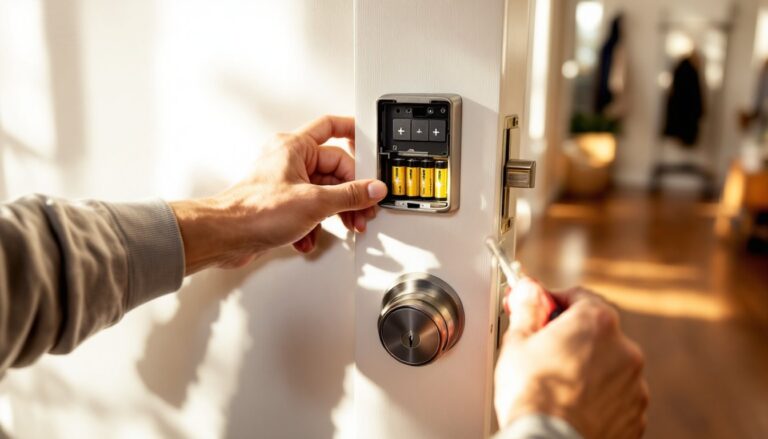
- Attach the interior assembly. Connect the cable, slide the battery pack into place (do not insert batteries yet), and align the mounting plate. Secure with screws. Once fastened, insert the 4× AA batteries.
- Calibrate the lock. Press and hold the setup button on the interior until you hear a beep. The lock will auto-calibrate by extending and retracting the deadbolt a few times. This step ensures the motor learns the door’s specific resistance.
Permit and code considerations: In most jurisdictions, replacing a lock is considered maintenance, not structural work, and doesn’t require a permit. But, if you’re drilling a new bore hole in a door that didn’t previously have a deadbolt, check local building codes. Some areas have specific requirements for lock placement relative to door edges and heights.
Pro tip: If your door has a slight misalignment or the strike plate doesn’t line up perfectly, the C220’s motor can struggle or drain batteries faster. Test the manual key a few times before finalizing the install. If it catches or binds, adjust the strike plate with a file or reposition it slightly.
Smart Home Integration and App Control
The Eufy Security app is straightforward and doesn’t bury essential functions under layers of menus. After connecting the lock to Wi-Fi (which takes about two minutes), users can lock or unlock remotely, create temporary access codes, and view an activity log showing who entered and when.
Temporary codes are especially useful for contractors, dog walkers, or Airbnb guests. Each code can be set to expire after a specific date or number of uses. Fingerprints can also be assigned names in the app, so the log reads “Sarah unlocked the door” instead of “Fingerprint #4.”
Voice control works reliably with Alexa and Google Assistant for locking, but unlocking via voice requires setting up a PIN in the app for security. This prevents someone from shouting “Unlock the front door.” through an open window.
As mentioned earlier, the C220 appears on many best smart lock lists for 2026, largely due to its balance of features and price. Integration with broader smart home ecosystems, like triggering lights when the door unlocks or linking with security cameras, works smoothly if those devices are also compatible with Alexa or Google.
One quirk: the app occasionally takes 3-5 seconds to refresh lock status if you’re checking remotely. It’s not a dealbreaker, but users expecting instant feedback may find it slightly sluggish compared to higher-end competitors.
Security Performance and Battery Life
The C220 uses AES-128 encryption for communication between the lock, app, and Eufy’s servers. That’s industry-standard and sufficient for residential use, though some enterprise-grade locks use AES-256.
Fingerprint recognition is fast and accurate under normal conditions. In testing by multiple reviewers who focus on smart home tech, the sensor unlocked in under a second about 95% of the time. Wet fingers or very cold temperatures (below 20°F) caused occasional misreads, but the backup keypad and physical key kept access reliable.
The tamper alarm is a solid deterrent. If someone tries to pry off the exterior assembly or force the deadbolt, the lock emits a 100-decibel alarm and sends a push notification to the app. In suburban or urban settings, that’s usually enough to draw attention.
Battery life generally hits the 8-10 month range with moderate use (4-6 unlocks per day). Heavier use, say, a busy household with a dozen daily entries, may push replacement closer to 6 months. The app sends low-battery warnings with about two weeks of remaining charge. If batteries die completely, the lock can be jump-started using a 9V battery held to terminals on the exterior keypad, allowing emergency entry to swap in fresh AAs.
One limitation: the C220 doesn’t include geofencing (auto-unlock when your phone approaches). Some competing locks offer this, but Eufy opted to skip it, likely to preserve battery life and reduce potential security risks from false triggers.
Pros and Cons: Is the C220 Worth It?
Pros:
- No hub required, Wi-Fi connectivity simplifies setup and reduces cost.
- Fingerprint sensor works quickly and reliably in most conditions.
- Physical key backup provides failsafe access.
- Reversible lever fits both left- and right-swing doors.
- Tamper alarm and activity logs add security layers.
- Competitive price, typically $150-$180, which is less than many hub-dependent alternatives.
- DIY-friendly installation with clear instructions and included hardware.
Cons:
- No Apple HomeKit support, limiting integration for iOS-centric users.
- 2.4 GHz Wi-Fi only, won’t connect to 5 GHz networks (though this is common among smart locks).
- App status refresh can lag by a few seconds when checking remotely.
- No geofencing for auto-unlock based on phone location.
- Fingerprint sensor struggles in extreme cold or with very wet fingers.
- Motor noise, the deadbolt retracts with a noticeable whir, which may bother light sleepers if the lock is near a bedroom.
Overall, the C220 makes sense for homeowners who want affordable keyless entry without sacrificing core features. It’s not the most advanced lock on the market, but it covers the essentials competently and won’t require a call to a locksmith for installation.
Conclusion
The Eufy Security Smart Lock C220 delivers solid performance for the price. It’s easy enough for a confident DIYer to install in an afternoon, integrates smoothly with Alexa and Google ecosystems, and includes practical features like fingerprint recognition and a physical key backup. Battery life holds up well, and the tamper alarm adds a layer of security that budget locks often skip. If Apple HomeKit or geofencing are must-haves, look elsewhere. But for most households prioritizing straightforward keyless access and reliable operation, the C220 gets the job done without drama.