Adding a smart lock to your gate isn’t just about convenience, it’s about controlling access to your property without fumbling for keys in the rain or wondering if you left it unlocked. Whether you’re securing a backyard fence, side yard entrance, or front garden gate, smart locks designed for outdoor use have evolved beyond basic deadbolts. They now handle harsh weather, run on solar or replaceable batteries, and integrate with your existing smart home setup. This guide walks through everything you need to know, from how they work to installation steps and troubleshooting tips that’ll save you a callback to tech support.
Table of Contents
ToggleKey Takeaways
- A gate smart lock provides keyless access via smartphone app, keypad, fingerprint, or voice command, eliminating the need to carry physical keys and enabling remote access control from anywhere.
- Gate smart locks use Bluetooth, Wi-Fi, or Z-Wave/Zigbee protocols with battery life ranging from 3 months to over a year depending on connectivity type and usage frequency.
- Choose locks with at least IP65 weather resistance rating, sealed battery compartments, and metal construction to ensure durability against rain, humidity, and temperature extremes.
- Installation requires 36–42″ mounting height and proper strike plate alignment, with mechanical testing before pairing the lock to your smartphone app to ensure smooth bolt engagement.
- Smart gate locks enable temporary access codes for contractors and guests without physical key distribution, paired with activity logs and remote monitoring to track entry and exit timestamps.
- Troubleshoot connectivity issues by enabling Bluetooth and location services, moving closer to the lock, and restarting both devices; address bolt binding by checking strike plate alignment that may shift seasonally.
What Is a Gate Smart Lock and How Does It Work?
A gate smart lock is an electronic locking mechanism designed specifically for outdoor gates, wood, metal, or composite, that allows keyless entry via smartphone app, keypad, fingerprint, or voice assistant. Unlike indoor smart locks that mount on a standard door prep with a 2-1/8″ bore hole, gate locks typically use surface-mount or latch-style installations since most gates lack the thickness or structure for traditional deadbolts.
Most gate smart locks operate via Bluetooth, Wi-Fi, or Z-Wave/Zigbee protocols. Bluetooth models work within 30–50 feet and don’t require a hub, making them simpler but limiting remote access. Wi-Fi-enabled locks let you lock or unlock from anywhere with an internet connection, though they draw more power. Z-Wave or Zigbee locks need a compatible smart home hub (like SmartThings or Hubitat) but integrate well with broader automation routines.
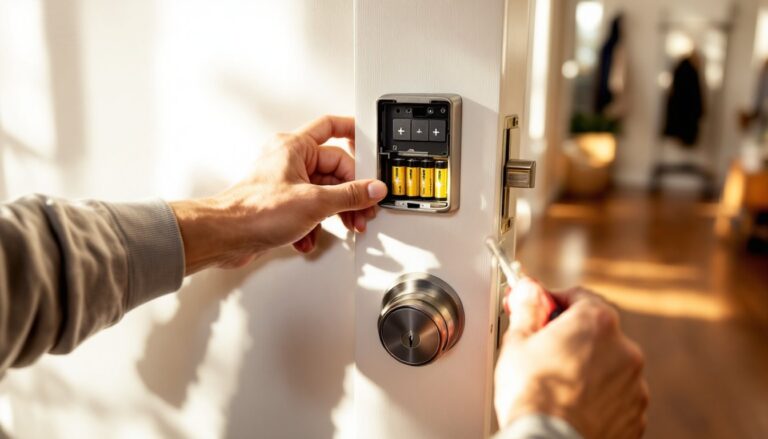
The locking mechanism itself is usually a motorized latch or deadbolt that retracts when you send a command. Some models use a solenoid lock that releases a bolt when powered, while others employ a rotating cam or hook latch. Power comes from batteries, typically AA or rechargeable lithium packs, with some offering solar panel add-ons for extended runtime.
Authentication methods vary. Keypad entry uses PIN codes you can assign to family, guests, or service workers and revoke remotely. Fingerprint sensors add biometric security but may struggle in rain or freezing temps. Smartphone unlocking via Bluetooth or app is the most common, often with geofencing that auto-unlocks as you approach.
Why Install a Smart Lock on Your Gate?
Access control tops the list. You can grant temporary codes to contractors, dog walkers, or Airbnb guests without handing out physical keys. When the job’s done or the rental ends, delete the code. No rekeying, no lost keys floating around.
Remote monitoring and locking means you’ll know if the gate was left open. Most smart locks log entry and exit timestamps, so if your teenager says they were home by curfew, you’ve got receipts. If you’re at work and realize the gate’s unlocked, a quick tap on your phone secures it.
Integration with smart home ecosystems lets you tie the gate lock into routines. Unlock the gate, and your driveway lights turn on. Lock it at sunset automatically. Pair it with a video doorbell or outdoor camera, and you can see who’s at the gate before buzzing them in.
Durability in outdoor conditions is built into these devices. They’re rated for rain, humidity, dust, and temperature swings that would brick an indoor lock. Look for an IP65 or higher ingress protection rating, that means dust-tight and protected against water jets from any direction.
That said, gate smart locks aren’t a fit for every scenario. If your gate is far from your house Wi-Fi or beyond Bluetooth range, you’ll need a Wi-Fi extender or a hub closer to the install point. And if your gate sees heavy wind or sagging, fix the structural issues first, a smart lock won’t compensate for a gate that doesn’t latch properly.
Top Features to Look for in a Gate Smart Lock
Not all gate locks are created equal. Here’s what separates a reliable install from a return to the hardware store.
Connectivity options matter based on your setup. If you want remote access and live notifications, Wi-Fi or a hub-connected lock is non-negotiable. Bluetooth-only models are fine if you just want keyless entry when you’re nearby. Some locks offer dual-band Wi-Fi (2.4 GHz and 5 GHz), but most outdoor locks stick to 2.4 GHz for better range through walls and fencing.
Latch compatibility depends on your gate type. Chain-link or wrought iron gates often use a gate latch box or surface-mounted strike plate. Wood gates with a standard mortise pocket can accept certain deadbolt-style smart locks, but you’ll need at least 1-3/4″ thickness. Measure before you buy.
Auto-lock and geofencing features add convenience. Auto-lock triggers after a set delay (30 seconds to 5 minutes), so you don’t have to remember to secure the gate. Geofencing uses your phone’s GPS to unlock as you pull into the driveway and lock when you leave, handy but sometimes glitchy if you’re gardening near the gate.
Many of today’s top smart lock models offer advanced features like tamper alerts, low-battery warnings, and activity logs accessible via app.
Battery Life and Power Options
Battery life ranges from 3 months to over a year, depending on usage frequency and connectivity type. Wi-Fi locks drain faster, expect 3–6 months on four AA batteries. Bluetooth models can hit 8–12 months. If the lock cycles dozens of times daily (busy rental property or dog daycare), you’ll be on the shorter end.
Replaceable AA or AAA batteries are the most common, and that’s a good thing, you can grab spares at any store. Some locks use proprietary rechargeable packs, which is fine until the pack degrades and you’re hunting for a replacement from a manufacturer that may or may not still support the model.
Solar charging panels are available as add-ons for select models. They trickle-charge the battery during daylight and can extend runtime indefinitely in sunny climates. In the Pacific Northwest or shaded yards, don’t count on solar alone, treat it as a range extender, not a sole power source.
Most locks will send a low-battery alert to your phone with 2–4 weeks of runtime left. Some include a backup 9V battery terminal on the exterior so you can jump-start the lock if it dies while you’re locked out.
Weather Resistance and Durability
IP ratings tell you how well the lock handles the elements. IP65 means dust-tight and protected against low-pressure water jets (heavy rain, garden hose). IP67 adds submersion resistance up to 1 meter for 30 minutes, overkill for a gate unless you’re in a flood zone, but it won’t hurt.
Operating temperature range is critical. Standard models handle 14°F to 140°F. If you’re in a climate with deeper freezes or desert heat, verify the spec sheet. Cold can slow motors and drain batteries faster: extreme heat can warp plastic housings.
Material construction should be metal, zinc alloy, stainless steel, or aluminum. Avoid all-plastic bodies: UV exposure will make them brittle within a couple of years. Stainless steel resists corrosion in coastal or high-humidity areas. Zinc alloy is lighter and cheaper but may pit over time if the coating chips.
Comprehensive testing by reviewers at CNET and other outlets often highlights how different lock models perform under real-world weather stress.
Rubber gaskets and sealed ports protect the electronics. Check that the battery compartment has a gasket and that any charging ports use a waterproof cover or silicone plug. If the lock uses a keypad, make sure the buttons are sealed membrane-style, not mechanical switches with gaps.
Installation Guide: How to Install a Gate Smart Lock
Before you start: Confirm your gate closes and latches properly. A sagging or misaligned gate will cause the lock to bind or fail to engage. Adjust hinges or add a gate wheel or caster to support the weight if needed.
Tools you’ll need:
- Cordless drill with bits (typically 1/8″ pilot, 1/4″ or 3/8″ for lag screws)
- Tape measure and pencil
- Level
- Screwdriver set
- Chisel (if mortising a strike plate)
- Safety glasses
Materials:
- Gate smart lock kit (lock body, strike plate or latch box, mounting hardware)
- Exterior-grade screws if the supplied hardware is too short or light-duty (3″ stainless deck screws work well for wood gates)
- Silicone sealant (optional, for added weatherproofing)
Step-by-step installation:
-
Determine lock placement. The lock should sit at a comfortable height, usually 36″ to 42″ from ground level, and align with the gate’s vertical stile (the thicker framing member). Avoid mounting on thin slats or mesh.
-
Mark and drill pilot holes. Hold the lock body against the gate, use a level to ensure it’s plumb, and mark screw locations with a pencil. Drill pilot holes to prevent splitting, especially in hardwood or composite materials.
-
Attach the lock body. Secure it with the provided screws or upgrade to longer exterior-grade fasteners if the gate material is thick. Don’t overtighten, you can crack the lock housing or strip threads.
-
Install the strike plate or latch box. Close the gate and mark where the lock’s bolt or latch will engage on the gate post or fence frame. For surface mounts, screw the strike directly. For mortise-style, use a chisel to cut a shallow recess so the plate sits flush. On metal gates, you may need to drill and tap threads or use self-tapping screws.
-
Test mechanical operation. Manually cycle the lock (most have an interior thumb-turn or override) to confirm the bolt engages smoothly without binding. Adjust strike plate position if necessary.
-
Install batteries and pair the lock. Insert batteries, download the manufacturer’s app, and follow pairing instructions, usually a Bluetooth handshake or scanning a QR code. Set up your admin PIN and any user codes.
-
Configure settings. Enable auto-lock, geofencing, or scheduled locking as desired. Test notifications by opening and closing the gate a few times.
-
Optional weatherproofing. Run a thin bead of clear silicone sealant along the top edge of the lock body where it meets the gate to shed water. Don’t seal the bottom, allow drainage in case moisture gets in.
Permits and codes: In most jurisdictions, adding a lock to an existing gate is considered maintenance and doesn’t require a permit. But, if you’re installing a new gate or modifying a fence line that affects setbacks or height limits, check local zoning. Electrically operated gate locks (those wired to mains power or integrated with electric gate openers) may fall under local electrical codes, consult your AHJ (authority having jurisdiction) if unsure.
For more detailed comparisons and installation tips across various models, Tom’s Guide reviews offer hands-on testing insights.
Troubleshooting Common Gate Smart Lock Issues
Lock won’t pair or connect. First, confirm your phone’s Bluetooth and location services are enabled, many apps require location for initial setup. Move closer to the lock: thick metal gates or nearby Wi-Fi interference can block signals. Restart both the lock (pull batteries for 30 seconds) and your phone, then retry pairing.
Bolt doesn’t engage or retracts sluggishly. Check battery level, low power often causes weak motor performance. Inspect the strike plate alignment: gates shift with temperature and humidity, so a strike that worked in July might be off by 1/8″ in January. Loosen the strike screws, close the gate, and adjust until the bolt slides in cleanly.
Lock freezes in cold weather. Moisture can ice up inside the keypad or motor. Spray a dry lubricant like graphite or PTFE (never WD-40 or oil-based products, they attract dirt) into the keyhole or latch mechanism. Some users install a small rain shield or awning above the lock to reduce direct exposure.
App shows lock is unlocked when it’s actually locked (or vice versa). This is usually a calibration issue. Most apps have a recalibration or “teach” mode where you manually lock and unlock the bolt so the motor learns the correct positions. Consult the user manual, it’s typically under advanced settings.
Repeated low-battery warnings even though fresh batteries. Cheap or expired batteries can trigger false alerts. Use name-brand alkaline or lithium cells with a date code showing they’re fresh. If the problem persists, the battery contacts inside the lock may be corroded, clean them with a pencil eraser or fine sandpaper.
Keypad buttons unresponsive. Dirt, ice, or water infiltration is the usual culprit. Wipe the keypad with a dry cloth. If buttons remain dead, the membrane seal may have failed, this is often a warranty claim. In the meantime, use the app or physical key override if available.
Wi-Fi lock keeps disconnecting. Outdoor locks at the edge of your router’s range will drop connection. Install a Wi-Fi range extender rated for outdoor use or upgrade to a mesh network with better coverage. Also, ensure the lock’s firmware is current, manufacturers release updates that improve connectivity.
When to call a pro: If the lock motor sounds like it’s straining or you smell burning plastic, stop using it and contact the manufacturer. Electrical components can fail, and forcing a broken motor can damage the gate or cause a fire risk. Similarly, if you’re not comfortable drilling into a steel gate or working with a hub-connected system that ties into home automation, a licensed locksmith or smart home installer can handle it for a few hundred dollars, depending on complexity.