Baldwin has been making residential hardware for over 75 years, and their smart lock lineup brings that legacy into the connected home era. If you’re upgrading your entryway or building out a smart home system, Baldwin locks offer a blend of solid brass construction, traditional styling, and modern conveniences like keyless entry and remote access. They’re not the cheapest option on the market, but they’re built to last and designed to look good doing it. This guide breaks down what sets Baldwin apart, which models matter, and whether you should tackle installation yourself or call in a pro.
Table of Contents
ToggleKey Takeaways
- Baldwin smart locks combine solid brass construction with traditional aesthetics, delivering premium durability and design that complement historic or period-appropriate homes without looking like an aftermarket addition.
- Keyless entry with customizable user codes, auto-lock/unlock features, and activity logs provide security and convenience, with battery life ranging from 8 to 12 months on four AA batteries.
- Baldwin smart locks integrate seamlessly with Amazon Alexa, Google Assistant, Apple HomeKit, and smart home hubs like SmartThings, allowing voice commands and automation without locking you into a proprietary ecosystem.
- DIY deadbolt installation takes 30 to 45 minutes if your door has standard prep holes, but handleset installations are more complex and benefit from professional locksmith help to avoid costly alignment errors.
- At $200 to $350 for deadbolts and $400 to $650 for handlesets, Baldwin smart locks are premium-priced compared to competitors like Schlage or Yale, but the lifetime mechanical warranty and superior finish durability justify the investment for long-term homeowners.
What Makes Baldwin Smart Locks Stand Out?
Baldwin’s smart locks distinguish themselves through heavy-duty construction and traditional aesthetics. While many smart lock manufacturers use plated zinc or composite materials, Baldwin sticks with solid forged brass for the main body and hardware components. That means better corrosion resistance, tighter tolerances, and a more substantial feel when you turn the knob or lever.
The design language skews traditional. You won’t find minimalist Scandinavian shapes here, Baldwin offers estate knobs, handlesets with decorative plates, and lever designs that complement craftsman, colonial, and transitional architecture. If your home has original hardware or period-appropriate trim, Baldwin locks integrate without looking like an aftermarket gadget bolted to the door.
Another differentiator is finish durability. Baldwin applies proprietary Lifetime PVD and Lifetime Polished Brass finishes that resist tarnishing, corrosion, and wear far better than standard plating. For exterior installations in coastal or high-humidity climates, this matters. You’re not repainting or polishing hardware every season.
Baldwin also maintains backward compatibility with their mechanical locksets. If you’ve already got Baldwin handlesets installed, many smart lock conversions can use the existing exterior hardware, cutting down on installation complexity and preserving your home’s curb appeal.
Key Features and Technology
Baldwin smart locks run on Bluetooth and Wi-Fi connectivity, depending on the model. The Evolved series uses Bluetooth for direct smartphone unlocking and includes an optional Wi-Fi bridge for remote access and integration with voice assistants. The Estate series smart locks incorporate Wi-Fi directly into the lock body, eliminating the need for a separate hub.
Keyless entry is standard across the lineup. Most models include a backlit touchscreen keypad that supports up to 50 unique user codes. You can assign temporary codes for contractors, houseguests, or delivery personnel, then delete them when the job’s done. Code lengths range from 4 to 8 digits.
Auto-lock and auto-unlock functions are available via the Baldwin app. Auto-unlock uses geofencing, when your phone enters a set radius around your home, the lock disengages. Auto-lock re-secures the door after a preset interval (usually 30 seconds to 5 minutes). Both features can be toggled on or off.
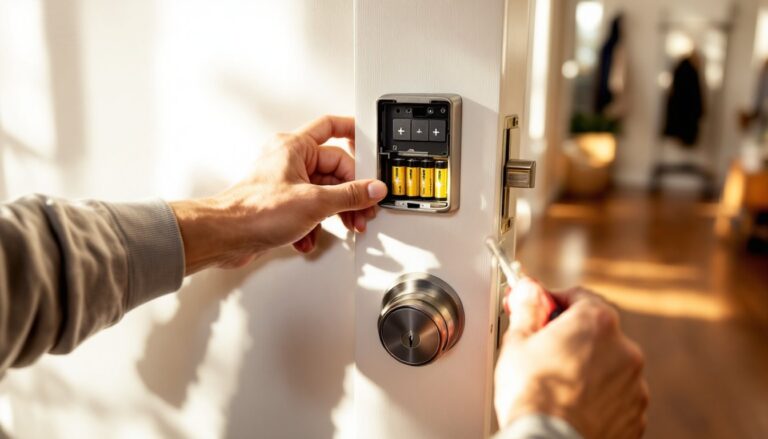
Battery life runs 8 to 12 months on four AA batteries, depending on usage frequency and connectivity mode. The lock chirps and flashes a low-battery warning about two weeks before it dies. If batteries fail completely, you can jump-start the lock using a 9V battery held to terminals on the exterior keypad, giving you enough power to unlock and replace the AAs.
Activity logs track every unlock event, keypad code, smartphone, or manual key turn, with timestamps. This is useful for monitoring when kids get home, verifying contractor access, or troubleshooting phantom unlocks. Many homeowners reviewing home security products cite activity logs as a key feature for peace of mind.
Smart locks in the Baldwin range also include built-in alarms that trigger if someone tries to force the door or tamper with the lock body. The alarm volume is adjustable, and you can disable it if you’ve got a separate monitored security system handling intrusion detection.
Popular Baldwin Smart Lock Models Compared
Baldwin Evolved Traditional Deadbolt is the entry point. It’s a Bluetooth-enabled deadbolt with a touchscreen keypad, available in multiple finishes (Satin Nickel, Venetian Bronze, Polished Brass). No Wi-Fi out of the box, you add that via the optional Connect Wi-Fi Bridge. Good choice if you’re retrofitting a standard deadbolt and don’t need remote access immediately. Fits standard door prep: 2-1/8″ cross bore and 1″ edge bore.
Baldwin Estate Santa Monica Smart Deadbolt steps up with integrated Wi-Fi and a squarer, more contemporary keypad design. It works with Amazon Alexa, Google Assistant, and Apple HomeKit (via firmware update). The Santa Monica model uses Baldwin’s SecureScreen technology, which displays two random digits before and after your code entry to prevent smudge-based code guessing. It’s overkill for most homes, but a nice feature if you’re in a high-traffic rental or Airbnb.
Baldwin Evolved Estate Handleset combines a decorative exterior handleset (the grip you use to open the door from outside) with a smart deadbolt and interior lever or knob. This is the premium option for front doors where you want both security and curb appeal. The exterior hardware is solid brass with Lifetime finishes: the interior trim matches. You control the deadbolt via touchscreen, app, or voice, and the handleset operates mechanically. Installation requires a complete door prep: cross bore, edge bore, and exterior plate mounting holes.
Experts discussing connected home technology often highlight the Estate series for homes where design cohesion is as important as functionality.
Baldwin Prestige Avendale Smart Deadbolt sits in the mid-tier. It’s Bluetooth-only, with a traditional rounded keypad and compatibility with the Connect Bridge. It’s a solid pick for side or back doors where you want keyless entry but don’t need the estate-level finishes or full handleset.
All models use the same Baldwin app (iOS and Android), which handles setup, code management, activity logs, and firmware updates. The app interface is straightforward, no bloated feature sets or confusing menus.
Installation: DIY or Professional?
If you’re replacing an existing deadbolt with a Baldwin smart deadbolt and your door already has standard 2-1/8″ cross bore and 1″ edge bore holes, this is a straightforward DIY job. You’ll need a Phillips screwdriver, and maybe a chisel to adjust the strike plate mortise if the new latch faceplate is slightly different. Plan on 30 to 45 minutes.
Baldwin includes paper templates for checking hole alignment and marking screw locations. The instructions are clear, with photos for each step. The hardest part is usually getting the interior and exterior assemblies aligned while feeding the tailpiece through the deadbolt, have a second person hold the exterior unit steady while you fasten the interior mounting plate.
Wear safety glasses if you’re drilling or chiseling. If you’re adjusting the strike plate mortise on a metal door frame, use a metal file instead of a chisel to avoid bending the frame.
Handleset installations are more involved. You’re mounting the exterior plate with through-bolts, boring holes for both the deadbolt and the latch, and aligning multiple components. If your door doesn’t already have handleset prep, you’ll need a hole saw kit (2-1/8″ and 1″ bits), a spade bit for the latch bore, and a drill. This is a 2- to 3-hour job for someone with moderate carpentry skills.
If you’ve never bored a door before, consider hiring a locksmith or handyman. Misaligned holes can compromise both security and function, and you can’t easily patch a door once you’ve drilled it.
Smart lock-specific steps include pairing the lock with your phone via Bluetooth, creating user codes, and installing the Wi-Fi bridge (if applicable). Pairing takes about 5 minutes. The app walks you through each stage with on-screen prompts. Wi-Fi bridge setup requires a 2.4 GHz network, most routers default to dual-band, so make sure you’re connecting to the right SSID.
One gotcha: door thickness and backset. Baldwin smart locks fit doors 1-3/8″ to 1-3/4″ thick with a 2-3/8″ or 2-3/4″ backset (the distance from the door edge to the center of the bore hole). Measure before ordering. If you’ve got an oversized or custom door, check compatibility with Baldwin’s customer service.
Smart Home Integration and Compatibility
Baldwin smart locks integrate with Amazon Alexa, Google Assistant, and Apple HomeKit. Voice commands let you lock the door, check lock status, or (with some models) unlock using a spoken PIN. Unlocking via voice requires an extra confirmation step for security, most platforms won’t let you say “unlock the front door” without a secondary code.
Through these platforms, you can build automation routines. For example, “Good Night” can lock all doors, turn off lights, and arm your security system. “Away Mode” can auto-lock the door 30 seconds after you leave and send a notification once secured.
Baldwin locks also work with Z-Wave and Zigbee hubs if you’re running a dedicated smart home controller like SmartThings or Hubitat. This requires purchasing a Z-Wave or Zigbee module separately, Baldwin’s standard locks ship with Bluetooth/Wi-Fi only.
Homeowners exploring home automation systems appreciate that Baldwin doesn’t lock you into a proprietary ecosystem. You can mix and match platforms or migrate to a new hub without replacing your door hardware.
IFTTT support is available for users who want more granular control. You can trigger locks based on weather, calendar events, or other connected devices (e.g., “lock the door when the garage door closes”).
One limitation: Baldwin locks don’t natively integrate with Ring or SimpliSafe security systems. You can work around this using a universal hub like SmartThings, but it adds complexity.
Pricing and Value for Homeowners
Expect to pay $200 to $350 for a Baldwin smart deadbolt, depending on finish and feature set. Handleset combos range from $400 to $650. These prices reflect MSRP as of early 2026: street prices at retailers like Home Depot or Lowe’s can run 10-20% lower, especially during seasonal sales.
That’s premium territory compared to brands like Schlage Encode ($230) or Yale Assure ($180), but Baldwin justifies the cost with better materials, finish durability, and a lifetime mechanical and finish warranty. The electronic components carry a three-year warranty, which is standard across the smart lock industry.
For homeowners planning to stay in a house long-term, Baldwin’s lower maintenance and longer lifespan offset the higher upfront cost. You’re not replacing corroded hardware or touch-up painting finishes every few years. For flips or rental properties where budget matters more than longevity, there are cheaper options that’ll do the job.
Installation costs (if hiring a pro) run $75 to $150 for a deadbolt swap, $150 to $300 for a handleset install. Prices vary by region and whether you’re also upgrading the door prep. Get quotes from locksmiths, not general handymen, locksmiths are faster and less likely to make alignment errors.
Wi-Fi bridges add another $50 to $80 if your model doesn’t have built-in Wi-Fi. Factor that in when comparing total system cost.
Conclusion
Baldwin smart locks deliver premium build quality, traditional styling, and reliable smart home integration without the plastic feel of budget competitors. They’re a strong fit for homeowners who value durability and design as much as convenience. DIY installation is manageable for deadbolts: handlesets benefit from professional help. Pair them with your existing smart home setup, set your codes, and enjoy keyless entry that doesn’t compromise on craftsmanship.