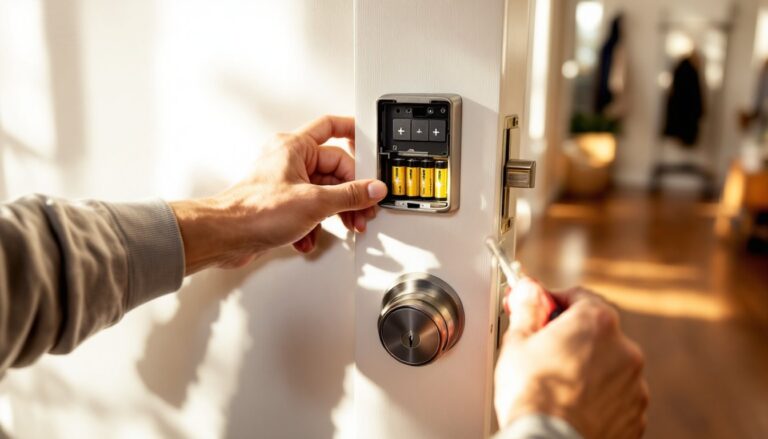
Most homes built before the 1980s have a wiring quirk that complicates smart switch upgrades: no neutral wire in the switch box. If the homeowner opens a wall switch and finds only two wires, typically a black (hot) and a white that’s been repurposed as a hot, they’re looking at an older wiring configuration that wasn’t designed for always-on electronics. Smart switches need constant power to maintain wireless connectivity, and without a neutral return path, standard models won’t work. Fortunately, manufacturers now offer no-neutral smart switches, and there are workarounds that don’t require rewiring an entire house.
Table of Contents
ToggleKey Takeaways
- Smart light switches without neutral wires are specifically engineered to complete circuits through the light load itself, enabling older homes to upgrade without expensive rewiring.
- Before installing a no-neutral smart switch, turn off power and inspect the switch box to verify whether you only have two wires (indicating no neutral) or white wires bundled together in the back.
- Top no-neutral smart switch options include Lutron Caséta for reliability, Inovelli Red Series for Z-Wave flexibility, and budget-friendly Wi-Fi models like Martin Jerry and TP-Link Kasa.
- Proper installation of a no-neutral smart switch requires careful wire identification, compatible high-quality dimmable LED bulbs, and a bypass capacitor when supplied to eliminate flickering.
- If a no-neutral smart switch causes persistent issues like flickering or connectivity problems, alternative solutions include running a new neutral wire (most reliable), using smart bulbs with a dummy switch, or installing a relay module at the light fixture.
- Always consult a licensed electrician if your home has aluminum wiring, knob-and-tube systems, or outdated panels, as retrofitting smart switches may reveal additional electrical code violations.
What Is a Neutral Wire and Why Do Smart Switches Need It?
In modern residential wiring, the neutral wire (white) carries current back to the electrical panel, completing the circuit. Traditional mechanical switches interrupt only the hot wire (black), so they don’t need a neutral to function. The switch is either on or off, no electronics involved.
Smart switches, but, contain radios (Wi-Fi, Zigbee, or Z-Wave) and microcontrollers that must remain powered even when the lights are off. They draw a trickle of electricity to listen for commands from a hub or smartphone. Without a neutral, there’s no complete circuit for that standby power.
In older wiring, installers ran hot wires to the switch and used the white wire as a second hot (marked with black tape or paint), sending power down to the light fixture where the neutral connection exists. That saves copper but leaves the switch box with no neutral. The National Electrical Code (NEC) has required neutrals at switch locations in new construction since 2011 (Article 404.2(C)), but millions of homes predate that rule.
How to Tell If You Have a Neutral Wire in Your Switch Box
Turn off the breaker before opening any switch box. Use a non-contact voltage tester to confirm power is off.
Remove the switch cover plate and unscrew the switch from the box. Gently pull it forward to inspect the wires:
• You have a neutral if you see a bundle of white wires capped together with a wire nut in the back of the box. These neutrals typically aren’t connected to the switch itself.
• You don’t have a neutral if you see only two wires on the switch (one black, one white marked with tape, or two black wires in a single-pole configuration). The white wire, if present, is acting as a hot.
• Three-way switches (two switches controlling one light) often have travelers and may or may not have a neutral at both locations. Check both boxes.
If the box is metal and the only wires are black and white (re-marked), it’s a dead giveaway of older two-wire cable (14/2 or 12/2 Romex without ground). Newer wiring is 14/3 or 12/2 with ground, which includes a ground wire and often a neutral at the switch.
Best Smart Light Switches That Work Without a Neutral Wire
Several manufacturers have engineered smart switches that draw standby power through the load (the light itself), using the bulb’s impedance to complete the circuit:
• Lutron Caséta Dimmers – The most reliable no-neutral option. Requires a Caséta Smart Hub (Zigbee/proprietary protocol) but offers rock-solid performance. Works with incandescent, halogen, dimmable LED, and dimmable CFL loads. Not compatible with ceiling fans or non-dimmable LEDs.
• Inovelli Red Series (Z-Wave) – Offers no-neutral variants for both switches and dimmers. Requires a Z-Wave hub (SmartThings, Hubitat, Home Assistant). Includes LED notification bar and scene control.
• Martin Jerry No-Neutral Smart Switch – Budget Wi-Fi option. No hub required. Works with Alexa and Google Home. Reports of flickering with some LED bulbs: test compatibility before buying multiples.
• TP-Link Kasa Smart Switch (KS200M) – Motion-sensing no-neutral option that integrates Wi-Fi control without needing a hub. Best for entryways and utility rooms.
Compatibility note: No-neutral switches work by letting a tiny amount of current through the bulb even when “off.” Cheap LED bulbs may flicker or glow. Use high-quality dimmable LEDs rated for electronic dimmers, or install a bypass capacitor (often included with the switch) at the light fixture to stabilize the load.
Installation Guide: Setting Up Your No-Neutral Smart Switch
Tools needed:
• Non-contact voltage tester
• Flathead and Phillips screwdrivers
• Wire stripper
• Needle-nose pliers
• Wire nuts (supplied with most switches)
• Electrical tape
Materials:
• No-neutral smart switch
• Bypass capacitor (if included or required)
• Ground pigtail (if box is metal and switch is grounded)
Step-by-step installation:
- Turn off the breaker for the circuit. Test with a voltage tester at the switch box to confirm power is dead.
- Remove the existing switch. Note which wire was on the “line” (hot in) and which was on the “load” (hot to light). Take a photo for reference.
- If the old white wire is taped black, it’s functioning as a hot. Leave the tape in place.
- Connect the smart switch’s line wire (usually black) to the incoming hot. Connect the load wire (usually red or second black) to the wire going to the light fixture.
- If there’s a ground wire (bare copper or green), attach it to the switch’s ground terminal. In a metal box, bond the ground to the box with a pigtail.
- Tuck wires carefully into the box and screw the switch into place. The box may be tight, smart switches have more electronics inside than mechanical switches.
- Restore power and test the switch manually before pairing it with the app.
Wiring Safety and Code Compliance
Safety equipment: Wear safety glasses and work with dry hands on a dry floor. Keep a flashlight handy, don’t rely on the circuit you’re working on for light.
Code considerations:
• NEC Article 404.14 requires switches to be grounded. If your box has no ground wire, install one or consult a licensed electrician.
• Article 110.3(B) requires following manufacturer instructions. If the switch requires a neutral and you bypass that by modifying the wiring, it’s a code violation and a fire hazard.
• Some jurisdictions require a permit for device replacement if it changes the circuit configuration (e.g., adding a smart switch that draws continuous power). Check local rules.
Load limits: Most no-neutral switches are rated for 150W LED / 600W incandescent. Overloading causes overheating and shortened lifespan. If the fixture exceeds the rating, split it across multiple switches or use a relay module.
Bypass capacitor installation: If the switch ships with a bypass (small blue or white device with two wires), install it at the light fixture, not the switch box. Connect it across the hot and neutral wires inside the fixture’s junction box. This stabilizes the current for low-wattage LEDs and eliminates flicker.
Alternative Solutions If You Have No Compatible Options
Run a new neutral wire: If the switch box is accessible from the attic or basement, an electrician can fish a three-wire cable from the panel or nearest junction box. Costs vary by region, expect $150–$300 per switch location. This is the cleanest long-term solution and brings the wiring up to current NEC standards.
Smart bulbs instead of smart switches: Replace the bulbs with smart LED models and leave the wall switch always on. Control lights via app or voice. Downside: anyone who flips the switch off kills power to the bulb, breaking smart control. Consider a switch guard or smart button cover.
Smart relays behind the fixture: Install a Shelly 1 or Sonoff Mini in the junction box at the light fixture, where neutral wires are always present. The existing dumb switch then acts as an input, and the relay handles smart control. This requires comfort working inside a crowded ceiling box and verifying load ratings.
Battery-powered smart button overlays: Stick a wireless button (Lutron Pico, Philips Hue Dimmer, or similar) over the existing switch or on the wall nearby. Pair it with a smart hub and bulbs. The old switch stays on, and the overlay sends commands. Simple, renter-friendly, but requires batteries every year or two.
Consult a licensed electrician for homes with aluminum wiring, knob-and-tube, or federal panel boxes. Retrofitting smart switches in these systems often uncovers other code issues that need professional remediation.
Troubleshooting Common No-Neutral Smart Switch Issues
Flickering or ghosting LEDs: The switch is letting through too much standby current. Install the bypass capacitor at the fixture, or swap to higher-wattage dimmable LEDs. Avoid dollar-store bulbs, cheap drivers don’t play well with electronic dimmers.
Switch won’t stay connected to Wi-Fi: No-neutral switches draw minimal power, and weak Wi-Fi signals cause dropouts. Place the router closer, add a mesh node, or switch to a hub-based protocol (Zigbee or Z-Wave) with better range and lower power requirements.
Switch feels hot to the touch: Check the load. If multiple bulbs exceed the switch’s rating, it’s overheating. Reduce the load or upgrade to a relay-based solution. Overheating is a fire risk, address it immediately.
Bulbs buzz or hum: Incompatible dimmer curve. Some no-neutral dimmers have adjustable trim settings in the app to fine-tune the waveform. Consult the switch’s manual. If adjustment doesn’t help, the bulb and switch may simply be incompatible.
Three-way switch not working: Verify the switch model supports three-way (multi-location) control. Many no-neutral models don’t. Lutron Caséta and Inovelli both offer three-way kits with wireless companion switches (Pico remotes or auxiliary switches) that don’t require travelers.
Lights turn on randomly or at the wrong times: Check for loose wire nuts or poor connections. No-neutral switches are sensitive to voltage drops and noise on the line. Tighten all connections and ensure the switch is fully seated in the box.
For persistent issues, smart home technology forums offer model-specific troubleshooting and firmware update alerts. Many problems resolve with a firmware push from the manufacturer.