The Yale Linus smart lock promises a straightforward retrofit upgrade for standard deadbolts, no hardware removal, no exterior changes, just an interior motor that turns your existing lock from the inside. For renters and homeowners who want smart lock convenience without drilling new holes or replacing trim, it sounds ideal. But does it deliver on ease of install, battery longevity, and integration with the rest of your smart home? This guide walks through what the Linus actually does, how installation plays out in real-world scenarios, and where it fits in Yale’s broader smart-lock lineup.
Table of Contents
ToggleKey Takeaways
- The Yale Linus smart lock is a retrofit adapter that mounts over your existing deadbolt interior, offering smartphone control without replacing hardware—ideal for renters and HOA-restricted properties.
- DoorSense magnetic sensor detects whether your door is actually closed, triggering alerts if left ajar and preventing accidental lockouts when the bolt engages.
- Installation takes 10–20 minutes with just a screwdriver; no drilling, wiring, or professional help needed, though compatibility with your deadbolt’s thumb-turn diameter and shape must be verified beforehand.
- Battery life runs four to six months on four AA batteries with typical use, and the lock reverts to manual key operation if the batteries die, so you’re never locked out.
- Remote access and voice control require a separate Yale Connect Wi-Fi Bridge ($79), and the Linus lacks Matter support and a built-in keypad—limitations to consider against full-replacement smart locks.
What Is the Yale Linus Smart Lock?
The Yale Linus is a retrofit smart deadbolt adapter. Unlike full-replacement locks, the Linus mounts over your existing single-cylinder deadbolt thumb-turn on the interior side. The motor engages the thumb-turn and rotates it on command, via smartphone app, voice assistant, or auto-lock timer. From the outside, your door looks unchanged: key access stays identical.
This design makes Linus appealing for apartments, rental properties, and homes where you can’t, or don’t want to, swap out the entire lockset. It’s compatible with most standard single-cylinder deadbolts, though Yale publishes a compatibility list online (check your lock’s thumb-turn diameter and backset before ordering).
Under the hood, Linus connects via Bluetooth to your phone and requires the Yale Access app for remote control. For remote access when you’re away, you’ll need a Yale Connect Wi-Fi Bridge (sold separately) or a compatible smart hub that supports the lock. Without the bridge, control is local Bluetooth only, no locking from work or sending guest codes remotely.
Key Features That Set Yale Linus Apart
DoorSense is Linus’s standout feature: a magnetic sensor that detects whether the door is actually closed or still ajar. If you walk away without pulling the door shut, the app alerts you. Auto-lock won’t engage until DoorSense confirms a closed door, preventing lockouts where the deadbolt throws into the frame while the door’s still open. Install the included magnet on the frame opposite the lock body.
Auto-lock and auto-unlock timers let you set the lock to throw the bolt after 15 seconds, 30 seconds, or any interval you choose. Auto-unlock can trigger when your phone’s Bluetooth comes into range, though geofencing accuracy varies by phone model and OS, expect occasional misfires if you walk past the door without intending to enter.
The lock supports unlimited virtual keys through the Yale Access app. You can issue permanent, scheduled, or one-time-use codes to family, contractors, or guests. All activity logs in the app with timestamps. Over time, the platform from Yale’s smart lock family has matured into a reliable ecosystem, though the Linus itself predates some newer Matter-enabled models.
Voice control works with Alexa, Google Assistant, and Siri Shortcuts, assuming you have the Wi-Fi bridge or a compatible hub. Commands like “Alexa, lock the front door” execute reliably once setup is complete. Note that most voice platforms won’t unlock by voice for security reasons unless you enable a spoken PIN in settings.
Installation: How Easy Is It to Set Up Yale Linus?
Installation takes 10–20 minutes if your deadbolt is compatible. You’ll need a Phillips screwdriver, that’s it. No drilling, no chiseling, no electrical wiring.
Step-by-step:
- Remove your interior thumb-turn escutcheon plate. Most pop off by hand: some have set screws under decorative caps.
- Choose the correct adapter ring from the kit. Yale includes multiple sizes to fit common thumb-turn diameters. Slide the adapter over the thumb-turn until it seats snugly.
- Attach the Linus mounting plate to the door using the provided screws. Align the plate so the motor will sit centered over the thumb-turn.
- Snap the Linus motor unit onto the plate. The internal clutch should engage the adapter ring: you’ll feel it click.
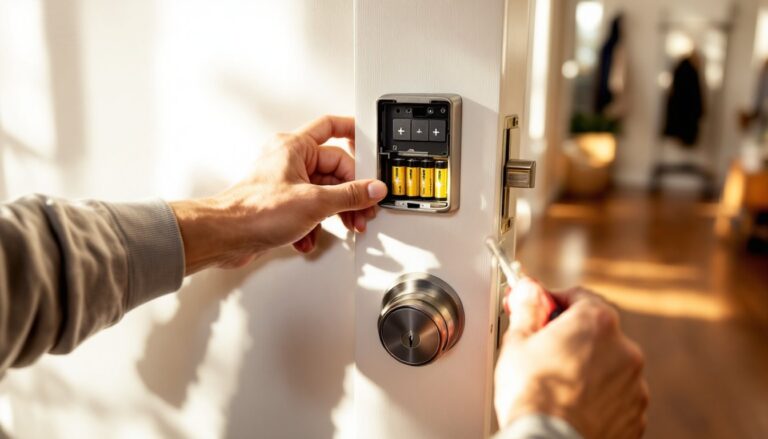
- Install four AA batteries in the Linus body.
- Mount the DoorSense magnet on the doorframe, aligned with the sensor on the lock body (gap should be ⅛ inch or less).
- Pair the lock via the Yale Access app (Bluetooth pairing takes under a minute).
Compatibility pitfalls: If your thumb-turn is an unusual shape, square, or recessed deep into the door, the adapter may not grip. Mortise locks, multipoint locks, and keyless deadbolts won’t work. Smart locks with electronic components on the interior side conflict with Linus mechanically.
The Linus adds about 1½ inches of depth to your interior side. If your door swings close to a wall or piece of furniture, check clearance before committing. Many smart lock reviews emphasize this depth consideration when comparing retrofit versus full-replacement models.
Smart Home Integration and App Experience
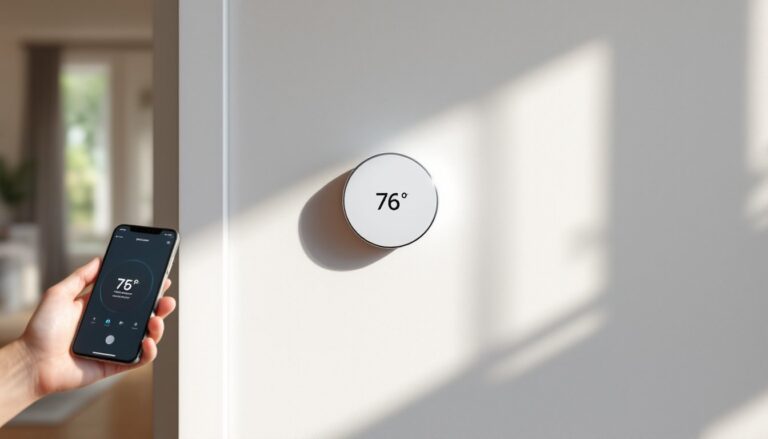
The Yale Access app (iOS and Android) is the primary control interface. Layout is straightforward: lock/unlock button, activity feed, user management, and settings. You can name the lock, adjust auto-lock delay, toggle DoorSense alerts, and view a history log of every unlock event with timestamp and method (app, key, auto-unlock).
For remote access, add the Yale Connect Wi-Fi Bridge ($79 retail, often bundled). The bridge plugs into an outlet within Bluetooth range of the Linus, then connects to your home Wi-Fi. Once linked in the app, you gain remote control from anywhere, plus push notifications when someone unlocks the door.
Alternatively, pair Linus with a compatible smart hub like Samsung SmartThings, Wink, or older Apple HomeKit hubs (via a separate Yale Network Module). Note that the Linus does not support Matter or Thread, those protocols arrived with Yale’s newer Assure Lock 2 line. If future-proofing your ecosystem matters, that’s a consideration.
Voice commands via Alexa and Google Assistant work reliably for locking. Unlocking by voice requires enabling a PIN code in the respective skill/action, and even then, many users disable it for security. Siri Shortcuts can trigger lock/unlock, but native HomeKit support requires an additional bridge module.
App stability has improved since launch. Early firmware suffered from Bluetooth dropout and slow response times: recent updates (as of 2026) have tightened pairing and reduced latency. Still, Bluetooth range is what it is, expect 30–40 feet unobstructed, less through walls.
Battery Life and Maintenance Requirements
Linus runs on four AA batteries, housed in the interior unit. Yale estimates four to six months of life under typical use (10–15 operations per day). Heavy traffic, frequent auto-lock cycles, and cold temperatures all shorten runtime.
The app displays battery percentage and sends low-battery alerts around 20%. Once depleted, the lock reverts to manual, your physical key still works, so you won’t be locked out. Swap in fresh alkaline or lithium AAs (lithium performs better in extreme cold).
No routine maintenance beyond battery changes. The motor and gears are sealed: no lubrication needed. If the thumb-turn adapter loosens over time, tighten the set screw on the adapter ring. DoorSense magnets can shift if bumped, realign if you get persistent “door ajar” alerts when the door is closed.
Firmware updates push through the app when the lock is in Bluetooth range. The update process takes a few minutes and requires the lock to stay within range: don’t walk away mid-update or you risk a stalled install. Keep the app updated on your phone to ensure compatibility with the latest iOS/Android releases.
Is the Yale Linus Smart Lock Worth It?
Pros:
- Non-destructive install. Ideal for renters or anyone who can’t replace the entire lock.
- DoorSense eliminates guesswork about whether the door actually latched.
- Proven Yale reliability. The company has decades in mechanical locks: their electronics have matured.
- Flexible access control. Unlimited virtual keys, scheduling, activity logs.
Cons:
- Bluetooth-only base model. Remote control requires a separate bridge purchase.
- No keypad. If you want a PIN entry option on the door itself, look at the Yale Assure Lock 2 or similar touchscreen models instead.
- No Matter support. The Linus predates Matter and won’t receive it via firmware.
- Compatibility constraints. Not all deadbolts fit the adapter rings: verify yours before ordering.
Who should buy it? Renters, condo owners with HOA exterior restrictions, or anyone who likes their current lock hardware and just wants remote/app control. If you own the property outright and have no constraints, a full-replacement smart lock (like the Assure Lock 2) offers a keypad, slimmer profile, and broader protocol support.
Pricing sits around $149–$179 for the Linus lock alone, plus another $79 if you want the Wi-Fi bridge. That’s competitive with mid-tier retrofit models but creeps toward full-replacement territory when you bundle the bridge. Shop sales, Yale frequently discounts bundles during Prime Day, Black Friday, and home-improvement retailer promotions.
Conclusion
The Yale Linus smart lock solves a specific problem: adding smartphone control to an existing deadbolt without changing what anyone sees from the curb. Installation is genuinely DIY-friendly, no electrician, no new bore holes, just a screwdriver and ten minutes. DoorSense and flexible app-based key sharing deliver real convenience, though the lack of a built-in keypad and Matter support show the product’s age. If your lease or HOA rules keep you from swapping lock hardware, Linus is one of the cleanest retrofit options available in 2026.